 i’ve enrolled in a really interesting project focused course this semester which provided me with an opportunity to finally mess around with SBCs. i ended up buying the raspberry pi zero 2w to run the lightweight services required for the project demonstration. this leaves me with a spare pi after the course which i can finally put to some use and continue my self hosting spree. here’s a rundown of the system. i’ll be using the pi to setup a self hosted recursive dns resolver and a dns sinkhole which lets me block out trackers and ads.
here’s the schematics of this project’s infrastructure:
Devices → Router → Pi-hole → Unbound → Root DNS → Internet
                     ↑
              Tailscale (remote access)
this would be an interesting next step as it opens the possibility of home labbing albeit at a very tiny scale. for the resolver i will be using unbound and pihole for the dns sinkhole. the pi setup is pretty simple just flash the os (i went with the raspberry pi os 32 bit lite, which comes with no gui and saves a couple MBs in ram on the tiny 512 MB sbc.) on an sd card (make sure you configure ssh + enable) and power the pi on. after a couple minutes you can directly access the pi using ssh <username>@raspberrypi.local and proceed setting up the services.
we start with pihole by getting the installer using curl -sSL https://install.pi-hole.net | bash and following the setup instructions. one thing to note is that we temporarily use opendns as our provider till we’re done setting up unbound. the setup is pretty straightforward with a couple of simple configurations in a neat cli based installer. make sure you save the pihole dashboard password on the last installer screen. then head over to your router settings to reserve pi’s ip because we need this to be consistent for proper use. once that’s been done you can change the dns provider on your devices to your pi’s ip address and your sinkhole is functional. you can test a couple searches and check the queries being filtered on the pi web dashboard logs at <pi's ip>/admin.
now we’re going to set the unbound and cut the reliance on external providers. the installation is a one liner sudo apt install unbound but we do need to modify the config file sudo nano /etc/unbound/unbound.conf.d/pi-hole.conf. i’ll drop my config as a sample, it could be a good starting point for anyone trying to test out how things work. now that we have it up and running we reboot the pi and open the pihole admin panel. remove the temporary dns we picked at the start and replace it with 127.0.0.1#5335
server:
verbosity: 0
interface: 127.0.0.1
port: 5335
access-control: 127.0.0.0/8 allow
access-control: ::1 allow
msg-cache-size: 25m
rrset-cache-size: 50m
do-ip4: yes
do-udp: yes
do-tcp: yes
do-ip6: yes
root-hints: "/var/lib/unbound/root.hints"
harden-glue: yes
harden-dnssec-stripped: yes
use-caps-for-id: no
edns-buffer-size: 1232
prefetch: yes
qname-minimisation: yes
cache-min-ttl: 300
a common issue that could make it hard to use the device is lack of router access and client isolation on enterprise wifi. that’s where we use the mesh vpn service tailscale, i use this for both making the service available outside of my local network and bypassing client isolation restrictions. the setup just running a script curl -fsSL https://tailscale.com/install.sh | sh and run sudo tailscale up to get the login prompt. log into your account and your device has joined the mesh. one important step is to change the dns to your pi’s tailscale ip and enabling magicdns on tailscale admin console.
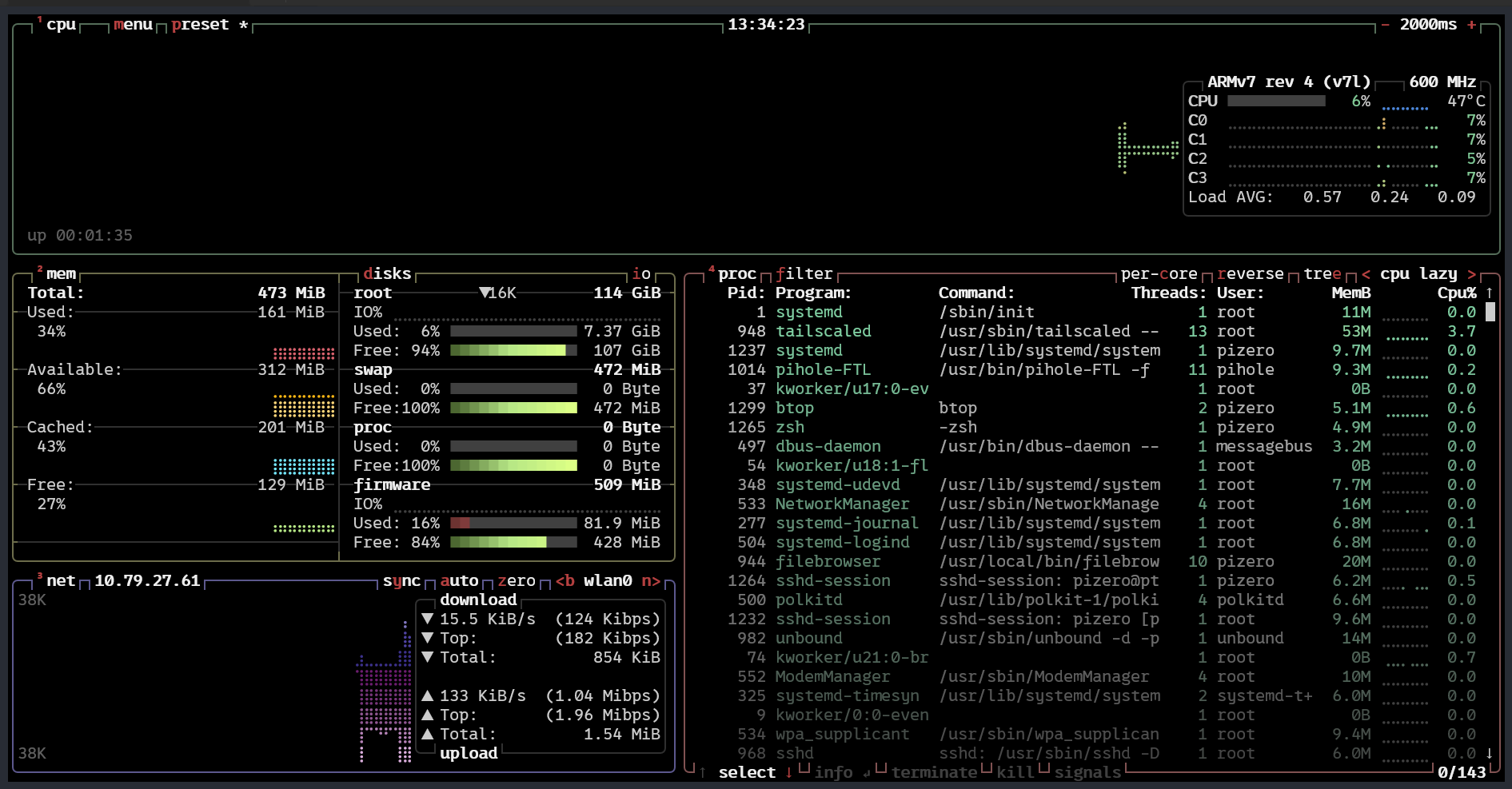 the stack is surprisingly lightweight. even on a pi zero 2w with 512mb ram, pi-hole, tailscale and unbound barely register under moderate load. it’s been serving me pretty well but i do just use it for my personal devices, which include a laptop, two mobile phones and an ipad. i wouldn’t push it much further though. if you’re planning to serve a larger household or heavier traffic, a more powerful device with better network bandwidth would make more sense.
my end goal is still a proper home lab. something self-contained, independent, and not quietly leaning on cloud defaults. this is a small step in that direction. a recursive resolver running on a spare pi won’t change much on paper, but it changes the trust boundary. fewer external dependencies, more understanding of what actually happens when a domain resolves. infrastructure becomes something more than an abstract concept when you operate it instead of renting it.